
Download Plugger – AI‑Powered Design Tool for Fast Creative Assets
Overview & Why Plugger Stands Out
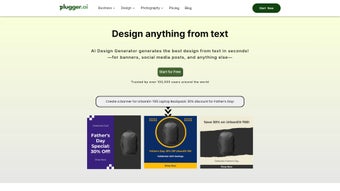
Plugger is an AI‑driven design platform that brings professional‑grade visual creation within reach of anyone who can type a short description. Whether you are a marketer needing a quick banner, a social‑media manager looking for a meme‑ready illustration, or a small business owner trying to craft a brand‑consistent logo, Plugger transforms simple text prompts into polished graphics in seconds. The core of the service relies on state‑of‑the‑art diffusion models that have been fine‑tuned for graphic‑design tasks, meaning the output balances creativity with commercial quality.
What makes Plugger truly unique is its blend of speed, flexibility, and an ecosystem of built‑in utilities: one‑click background removal, batch export for t‑shirt mockups, and a collaborative review pane that lets teams comment directly on generated assets. All assets are stored in a secure, GDPR‑ and CCPA‑compliant cloud vault, with automatic versioning so you never lose a previous iteration. Because the platform lives in the cloud, updates roll out instantly, ensuring you always have access to the latest AI capabilities without paying extra fees.
The subscription model includes unlimited revisions, regular model upgrades, and a free 14‑day trial that unlocks every feature, making it a low‑risk investment for freelancers and agencies alike. In short, Plugger eliminates the steep learning curve of traditional design software while delivering output that can be used straight into marketing campaigns, e‑commerce listings, or printed collateral.
Key Features That Accelerate Your Creative Workflow
Feature List
- AI‑generated logos from natural‑language keywords.
- One‑click background removal and automatic photo enhancement.
- Text‑to‑image generation supporting both photorealistic and cartoon styles.
- Specialized furry‑character creator with adjustable anatomy and accessories.
- Batch processing for t‑shirt mockups, social‑media bundles, and e‑commerce catalogs.
- Unlimited revision cycles with instant AI feedback loops.
- Secure cloud storage with auto‑save, version history, and easy file export.
- Regular AI model upgrades included in the subscription at no extra cost.
- Export options for PNG, JPEG, SVG, PDF, and high‑resolution TIFF.
- Integrated collaboration tools: comment threads, approval workflows, and shared workspaces.
Each of these features has been engineered to cut down the time spent on repetitive design tasks. For example, the AI logo generator interprets brand‑specific adjectives (e.g., “minimalist, teal, vintage”) and produces multiple vector‑ready concepts that can be tweaked with a simple slider. The background remover uses a neural‑network segmentation model that isolates subjects with pixel‑perfect edges, eliminating the need for Photoshop‑level masking.
Batch processing is especially valuable for e‑commerce sellers who need dozens of product mockups; a single upload of a design file can instantly generate a full set of variations across colors, sizes, and backgrounds. Collaboration tools keep remote teams aligned: designers can leave notes directly on the canvas, and managers can approve assets with a single click, all without leaving the browser. The continuous upgrade pipeline means that as new styles emerge—such as the latest flat‑design trends or emerging illustration techniques—Plugger users automatically benefit without purchasing additional plugins or licenses.
Installation, Usage & Compatibility Across Devices
Plugger is primarily a web‑based service, so the core experience works on any modern browser (Chrome, Edge, Firefox, Safari) without downloading heavy client software. To get started, visit plugger.io, click “Sign Up,” and complete the short onboarding wizard that asks about preferred design categories, default output sizes, and brand colors. After confirming your email, you are taken directly to the dashboard where a central canvas awaits your first prompt.
For users who prefer a native feel, Plugger offers lightweight desktop clients for Windows 10/11 and macOS 10.15+. The Windows installer is a signed .exe file (≈30 MB) that installs in under a minute, while the macOS version is a signed .dmg package. Both clients act as thin wrappers that simply open a secure browser window, preserving the cloud‑first architecture while offering system‑tray shortcuts and offline file browsing. Mobile users on Android 8.0+ and iOS 13+ can download the companion app from Google Play or the Apple App Store. The mobile app mirrors the web UI, allowing you to sketch ideas, submit prompts, and review generated assets while on the go.
Using Plugger is intuitive: type a description such as “retro arcade poster with neon purple lasers and a pixel‑art robot” into the text bar, hit “Generate,” and within 5‑10 seconds the AI returns a gallery of variations. Each variation can be refined by adjusting style sliders (realism, line weight, color saturation) or by adding secondary prompts (“add a vintage arcade cabinet in the background”). The platform also supports importing existing images for enhancement or background removal—simply drag the file onto the canvas and choose the desired tool.
All results are saved automatically to your cloud vault, where you can organize them into folders, share links with teammates, or download them in the required format. Because all processing occurs on Plugger’s secure servers, you benefit from powerful GPU resources without needing a high‑end workstation. The service complies with GDPR and CCPA, giving you full control over data export or deletion through the account settings panel.
Pros, Cons, Frequently Asked Questions & Final Verdict
Pros
- Lightning‑fast AI generation saves hours compared to manual design.
- Broad style range—from cartoonish characters to photorealistic product shots.
- Unlimited revisions keep the creative loop open without extra cost.
- Built‑in background removal, photo enhancement, and batch export remove the need for third‑party tools.
- Cross‑platform support (Web, Windows, macOS, Android, iOS) ensures flexibility.
- Secure cloud storage with end‑to‑end encryption and compliance with privacy regulations.
- Regular AI model updates are included in the subscription, keeping features current.
- Collaboration workspace streamlines feedback and approval processes.
- Multiple export formats ready for print, web, or mobile use.
- Free 14‑day trial lets users test every feature before committing.
Cons
- Requires a stable internet connection; offline generation is not available.
- Highly detailed vector editing still needs a dedicated graphics editor for fine‑tuning.
- Subscription pricing may be less attractive for occasional hobbyists.
- Desktop clients are lightweight wrappers and do not provide additional offline capabilities.
- Advanced style sliders have a learning curve for beginners.
FAQ
Is there a free version of Plugger?
Plugger offers a 14‑day free trial that unlocks all features, after which you can choose a paid subscription or continue with a limited‑feature free tier.
Can I use Plugger without an internet connection?
All AI processing happens on Plugger’s cloud servers, so an active internet connection is required for generation. You can still view and edit previously saved files offline using the desktop client.
What export formats does Plugger support?
Export options include PNG, JPEG, SVG, PDF, and high‑resolution TIFF. Batch assets can be downloaded as a ZIP archive.
Is my data safe in Plugger’s cloud?
Plugger uses TLS 1.3 for data in transit and AES‑256 encryption at rest. The platform is fully GDPR and CCPA compliant, and you can request complete data deletion at any time.
Can I apply my brand’s color palette?
Yes—upload custom swatches or enter HEX codes directly in the style panel to ensure every generated asset matches your brand guidelines.
Conclusion & Call to Action
Plugger delivers a compelling blend of AI creativity, practical utilities, and collaborative features that make it a standout choice for anyone who needs high‑quality visuals on a tight schedule. The platform’s speed, breadth of styles, and secure cloud infrastructure address the most common pain points of traditional design workflows. While the reliance on an internet connection and a subscription model may deter occasional users, the productivity gains, cost savings, and continuous feature upgrades provide strong justification for the investment. If you’re ready to reduce design bottlenecks, eliminate costly outsourcing, and keep your brand assets consistent across channels, Plugger is a smart, future‑proof solution.
Ready to transform your design process? Download Plugger now, start your free trial, and experience AI‑powered creativity that delivers results in seconds.



.png)



